Restock texts

Back in Stock, by Text: 7 SMS Templates

Someone asked you to text them when it returns. Now it has. Some of these seven texts send a link, others ask for a one-word reply first, and one reserves the item. All of them name the exact product, size or shade the shopper was waiting for.

Browse by type
Size 40 has returned back in stock text on an iPhoneSize 40 has returned back in stock text on an Android phone Their size, both platformsSee text →
Seven restocks

Back in stock SMS examples, from the returning size to the final notice

Sizes, shades, pack sizes and pairs of requests: every text below handles a different restock. Each comes in two lengths, full and short, with the character and segment count printed underneath.

Size 40 has returned back in stock text on an iPhoneSize 40 has returned back in stock text on an Android phone
No. 01 · Their size

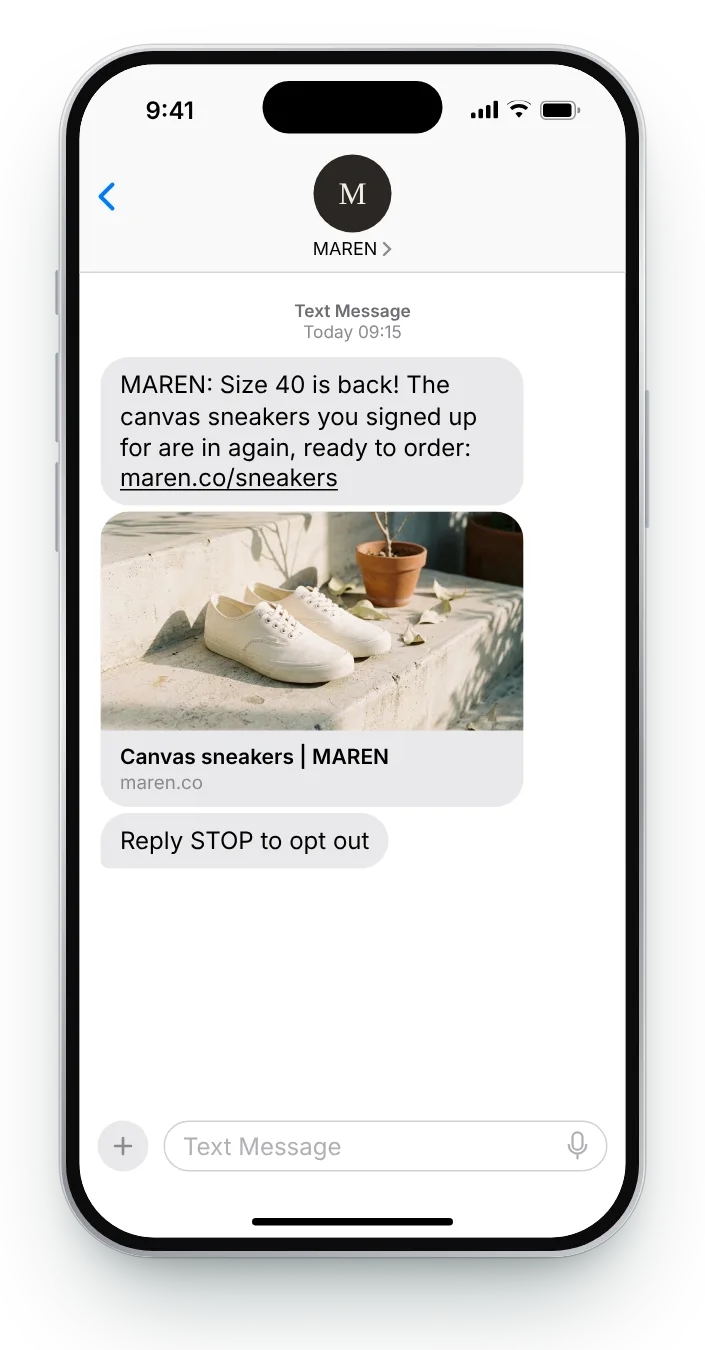
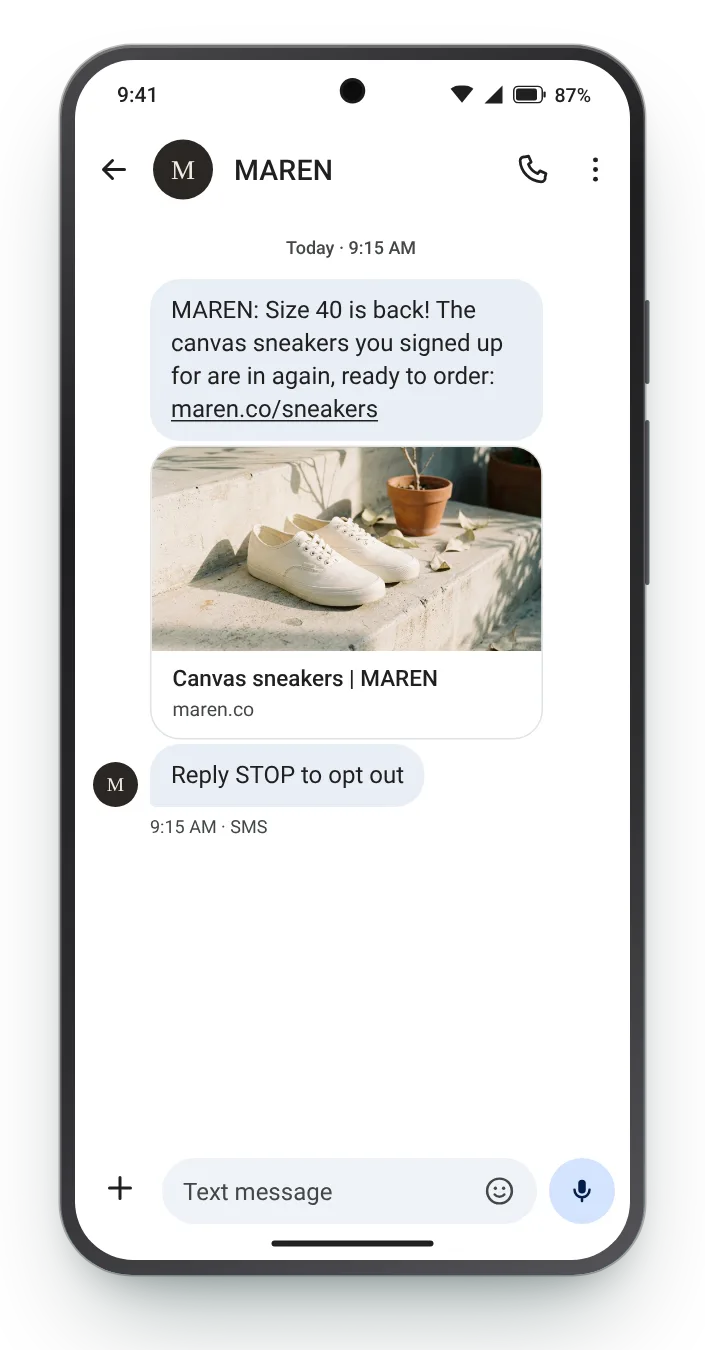
Size 40 has returned

MarketingFashionThe moment that size is back on the shelf

Opening with the size answers the only question the shopper has. Everything after it is a formality.

Full SMS
MAREN: Size {{size}} is back! The canvas sneakers you signed up for are in again, ready to order: maren.co/sneakers Reply STOP to opt out
131 characters with sample values · GSM-7 · 1 segment
Edit in the counter →

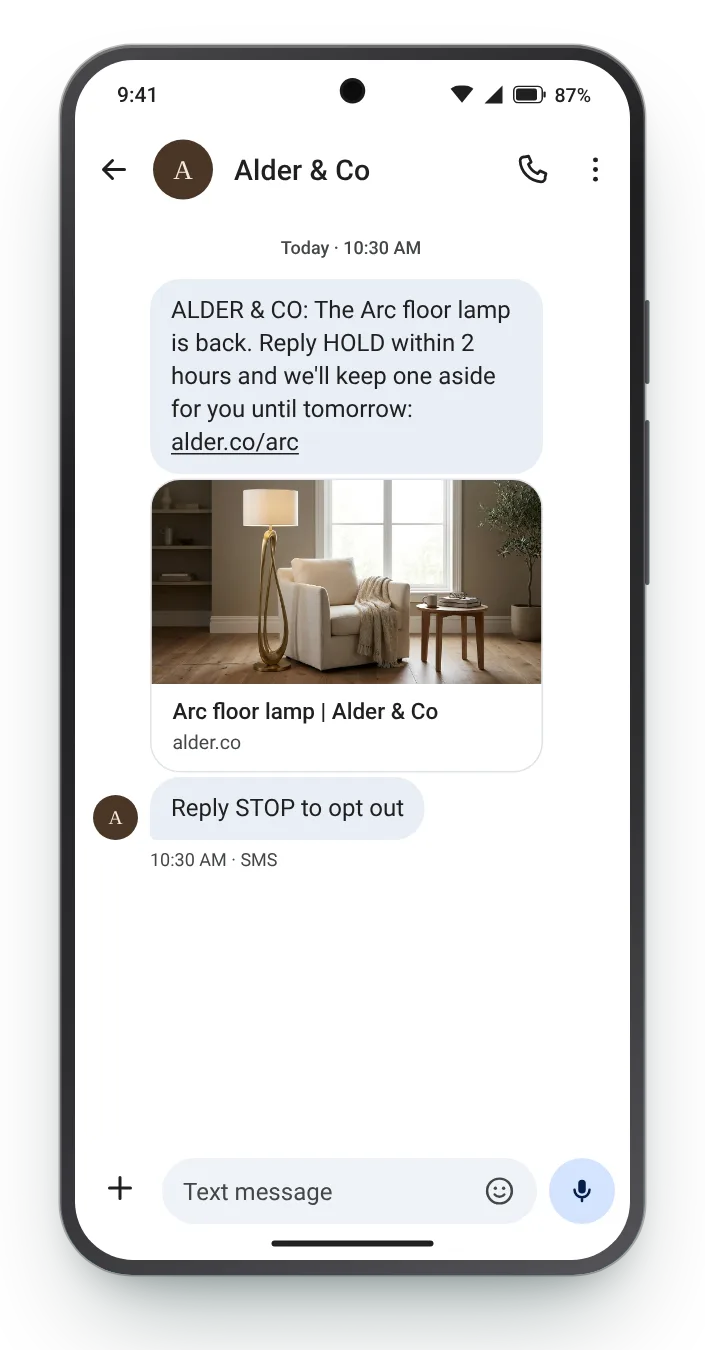
Reply HOLD to keep one aside back in stock text on an iPhoneReply HOLD to keep one aside back in stock text on an Android phone
No. 02 · Reply HOLD

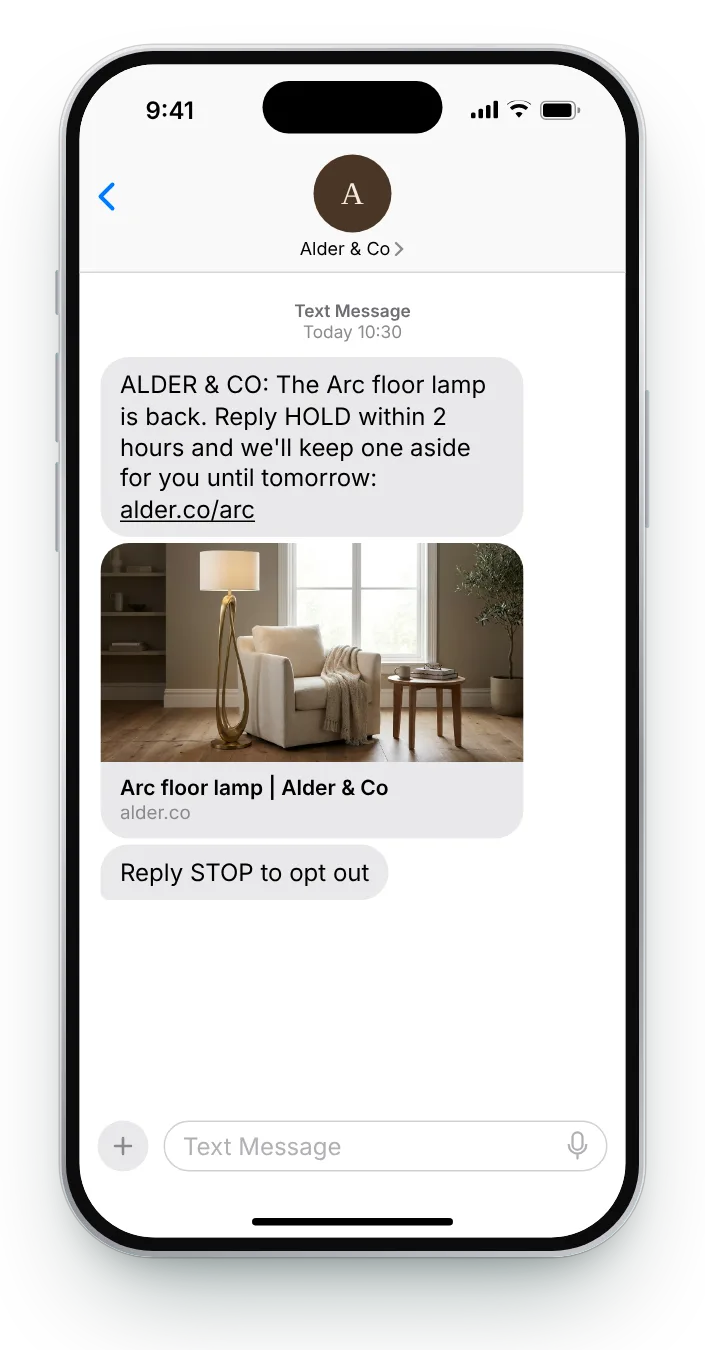
Reply HOLD to keep one aside

MarketingHomeWhen stock lands, to the first people on the list

A large item is hard to buy on the spot. Letting the shopper reserve it with one word gives them time to measure up, and gives you a firm list of likely buyers.

Full SMS
ALDER & CO: The {{product}} is back. Reply HOLD within 2 hours and we'll keep one aside for you until tomorrow: alder.co/arc Reply STOP to opt out
149 characters with sample values · GSM-7 · 1 segment
Edit in the counter →

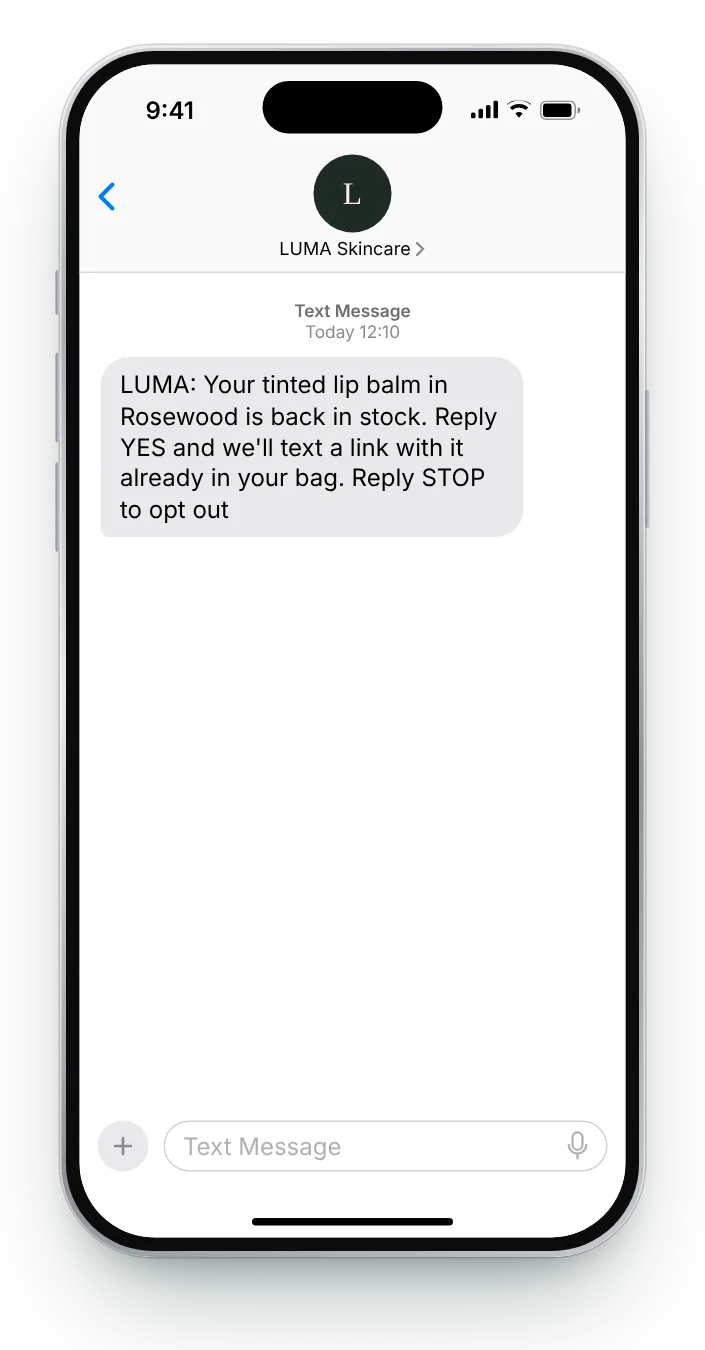
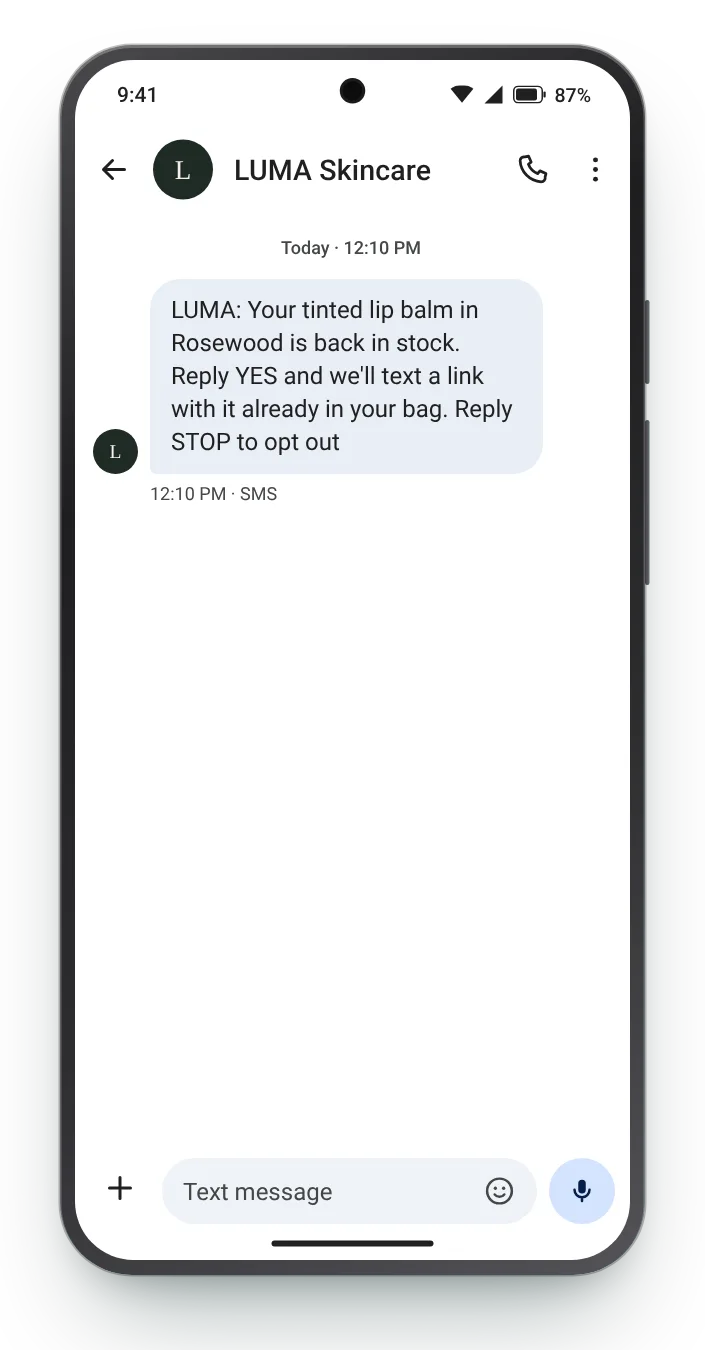
Reply YES for a ready-made bag back in stock text on an iPhoneReply YES for a ready-made bag back in stock text on an Android phone
No. 03 · Reply YES

Reply YES for a ready-made bag

MarketingBeautyOn restock day, for single-shade products

Asking for a reply before sending the link keeps the first text clean. The second message can carry a bag with the right shade already in it.

Full SMS
LUMA: Your {{product}} in {{shade}} is back in stock. Reply YES and we'll text a link with it already in your bag. Reply STOP to opt out
139 characters with sample values · GSM-7 · 1 segment
Edit in the counter →

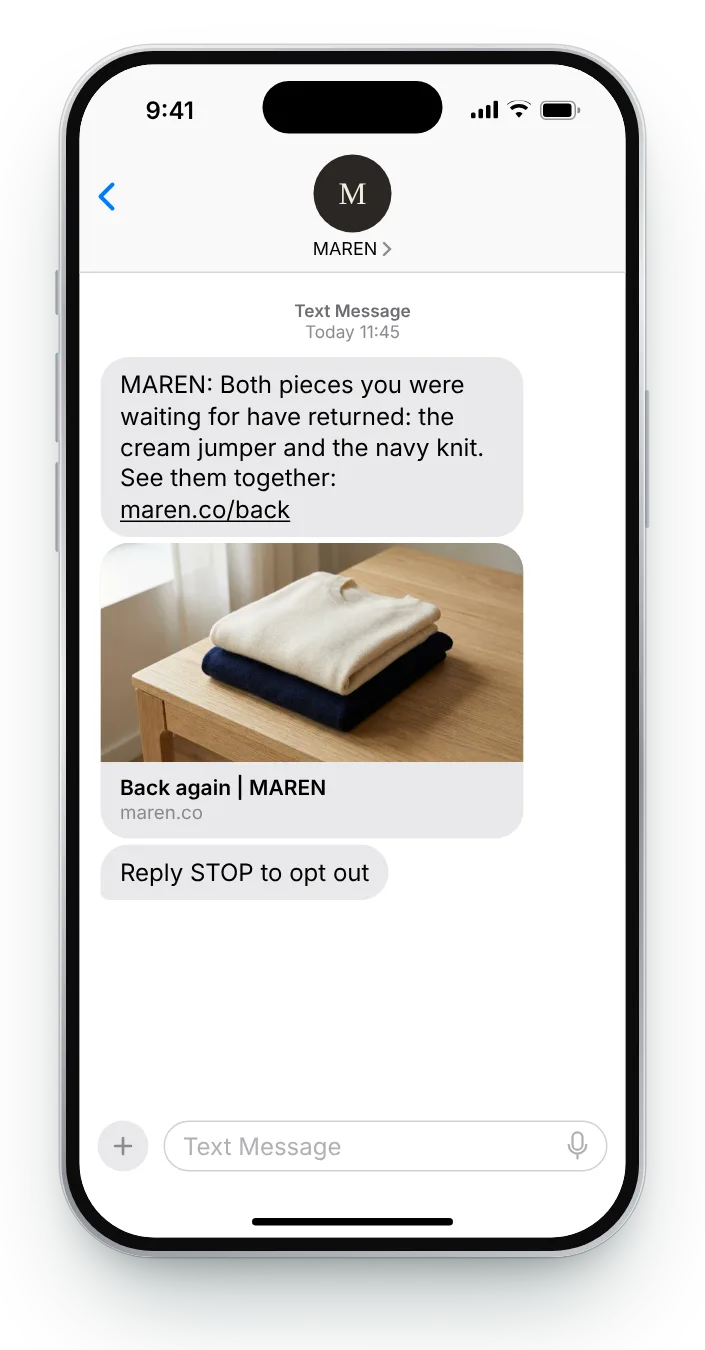
Two requests answered in one text back in stock text on an iPhoneTwo requests answered in one text back in stock text on an Android phone
No. 04 · Two items

Two requests answered in one text

MarketingFashionWhen several requested items return the same day

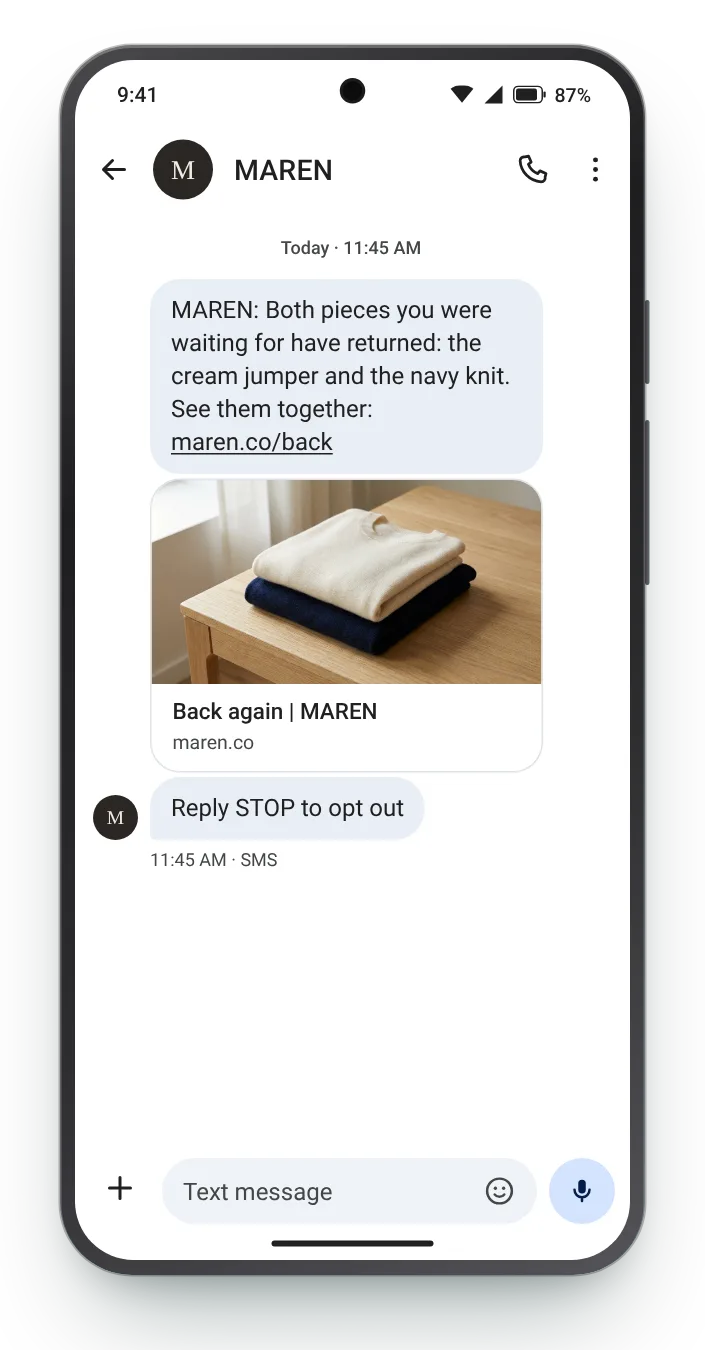
Two texts on the same morning feel like a lot. Combining the requests into one respects the shopper's attention and still names both products.

Full SMS
MAREN: Both pieces you were waiting for have returned: the cream jumper and the navy knit. See them together: maren.co/back Reply STOP to opt out
145 characters with sample values · GSM-7 · 1 segment
Edit in the counter →

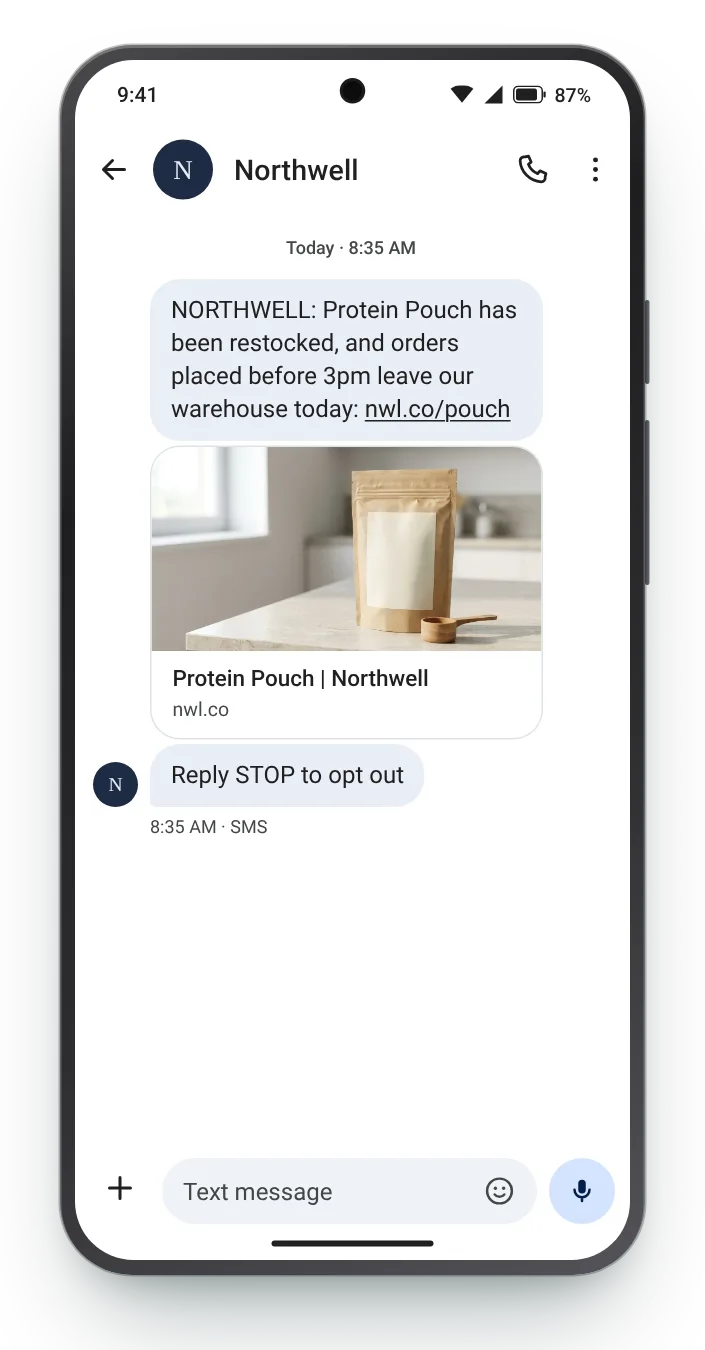
In stock and leaving today back in stock text on an iPhoneIn stock and leaving today back in stock text on an Android phone
No. 05 · Ships today

In stock and leaving today

MarketingSupplementsRestock morning, ahead of the daily shipping deadline

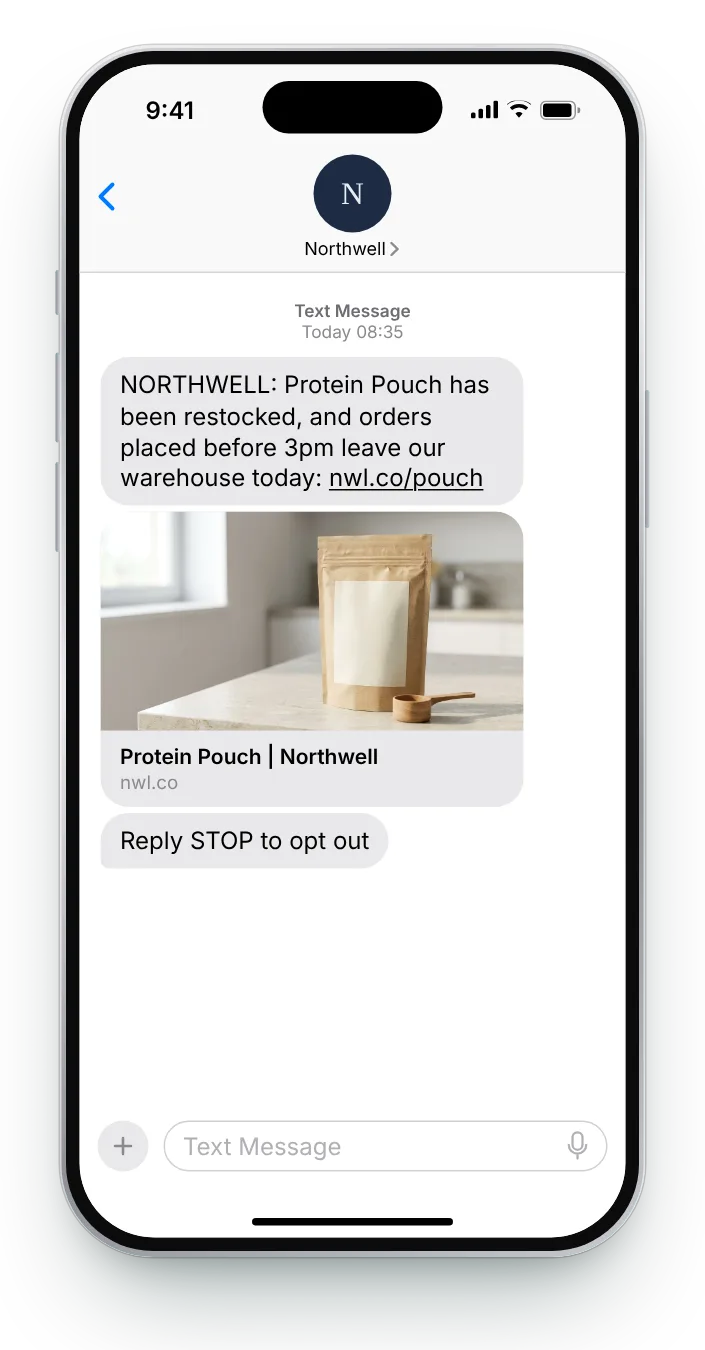
A shopper who waited weeks wants it quickly. A same-day dispatch time adds a real reason to order now without inventing urgency.

Full SMS
NORTHWELL: {{product}} has been restocked, and orders placed before {{time}} leave our warehouse today: nwl.co/pouch Reply STOP to opt out
135 characters with sample values · GSM-7 · 1 segment
Edit in the counter →

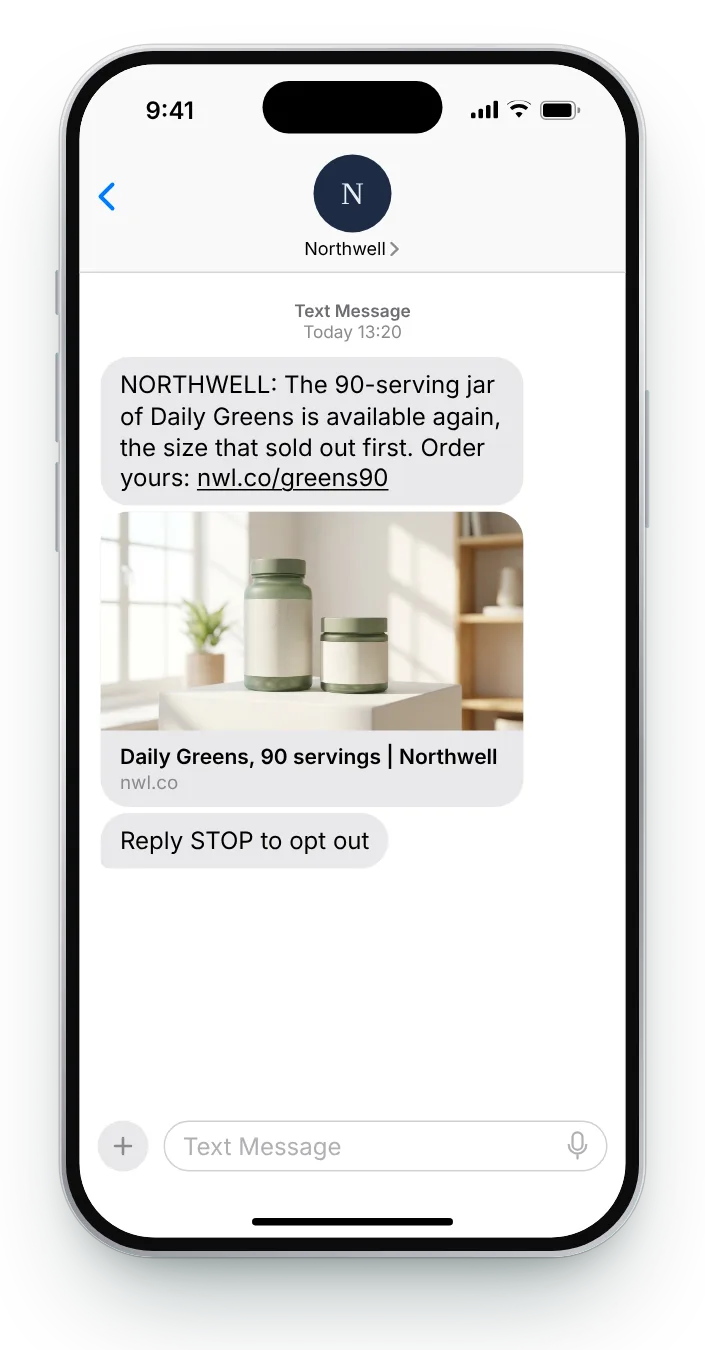
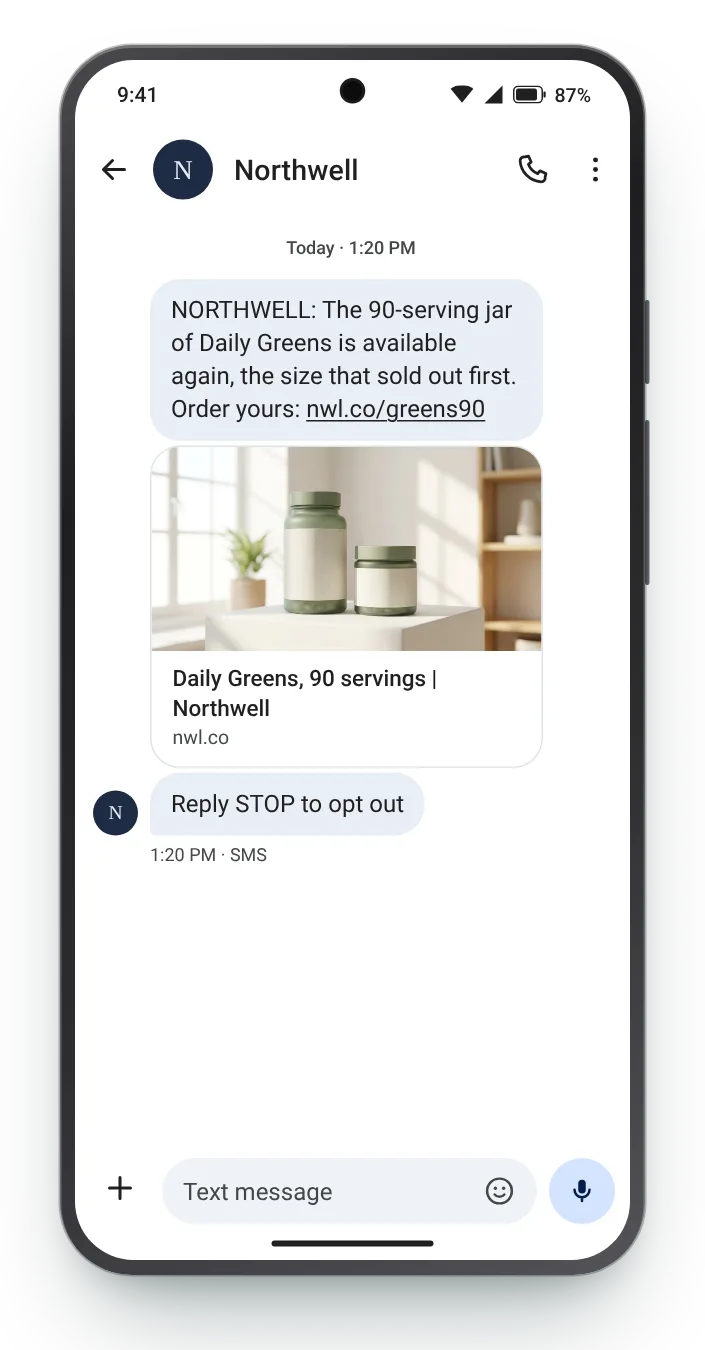
The bigger jar returns back in stock text on an iPhoneThe bigger jar returns back in stock text on an Android phone
No. 06 · Larger size

The bigger jar returns

MarketingSupplementsWhen a popular pack size comes back

Regular buyers often wait for the size they prefer rather than settle for a smaller one. Naming the pack size is the detail that tells them this is the alert they wanted.

Full SMS
NORTHWELL: The 90-serving jar of {{product}} is available again, the size that sold out first. Order yours: nwl.co/greens90 Reply STOP to opt out
146 characters with sample values · GSM-7 · 1 segment
Edit in the counter →

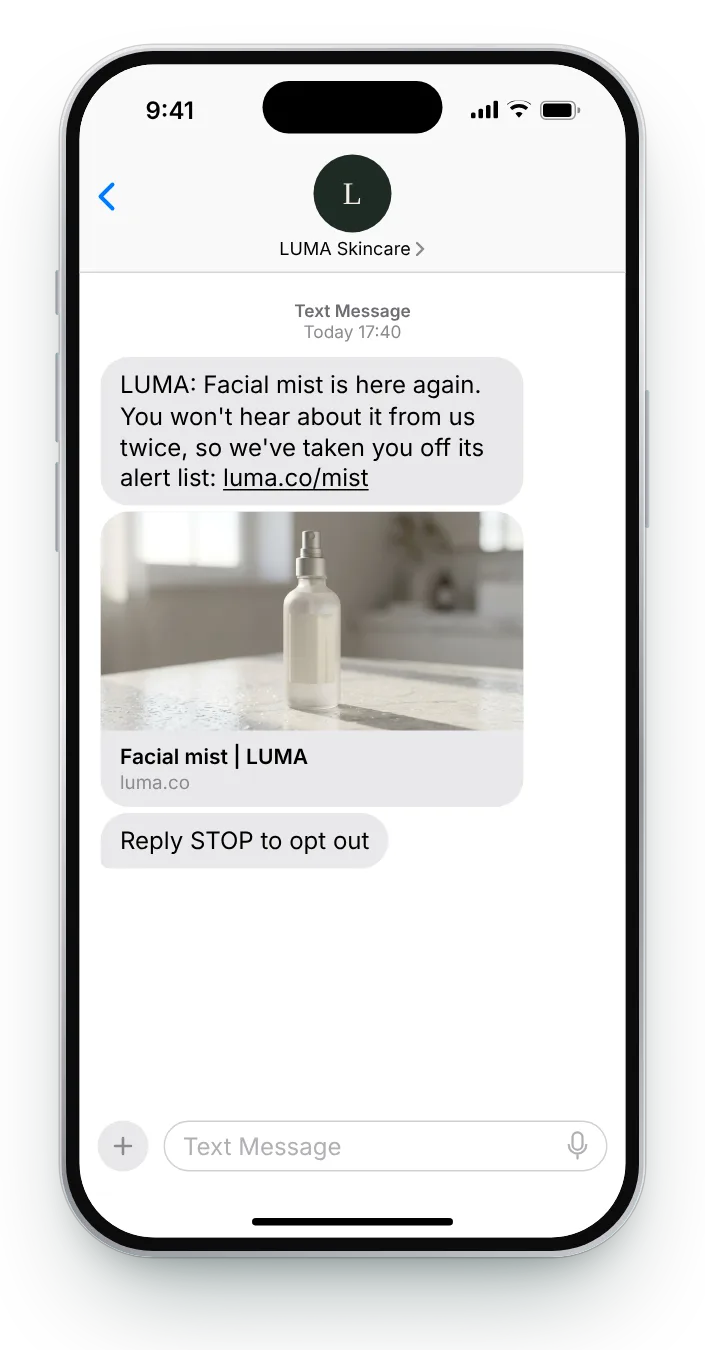
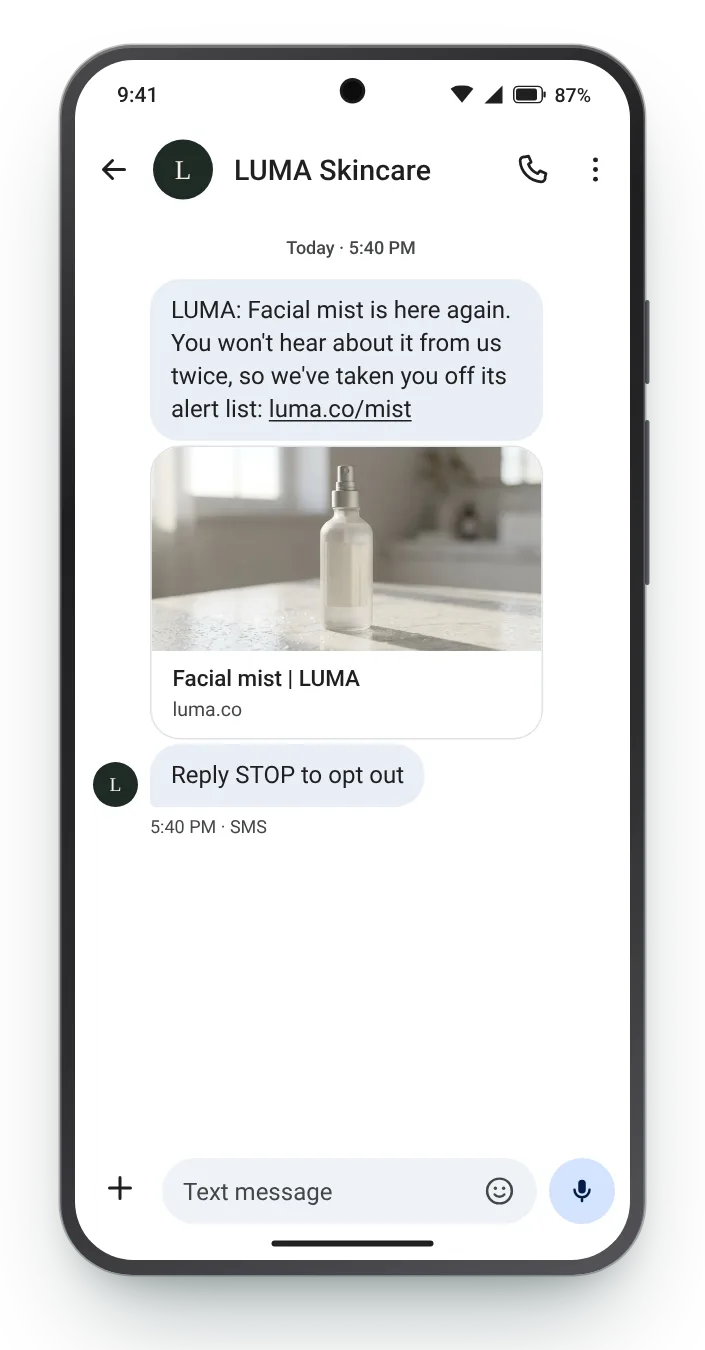
One alert, then off the list back in stock text on an iPhoneOne alert, then off the list back in stock text on an Android phone
No. 07 · Single notice

One alert, then off the list

MarketingBeautyOnce, to everyone who asked

Telling the shopper they have been taken off the list proves you will not text about it again, and makes the next sign-up an easy yes.

Full SMS
LUMA: {{product}} is here again. You won't hear about it from us twice, so we've taken you off its alert list: luma.co/mist Reply STOP to opt out
145 characters with sample values · GSM-7 · 1 segment
Edit in the counter →

Restock text editor

Adapt a restock text and count it as you go

Pick one, swap in your product name and link, and the preview updates on every keystroke. The bar under the box fills toward the 160-character limit and flags any character that would turn the text into Unicode.

0 / 160 characters1 segment
  • Starts with the brand
  • Names the product or size
  • Has STOP wording
  • Stays in one segment
9:41
Text Message
Today 10:02
Text message
Tuesday 7 October9:41
Messages · now62418now

The HOLD restock text in the iPhone Messages appThe same HOLD text on an Android phone
Two-way texts

Reply keywords that turn an alert into a sale

A link asks the shopper to act now. A reply keyword asks for a smaller step, and that step can be the one that gets them to the checkout.

One word, in capitals

HOLD, YES or a size: a short keyword in capitals is easy to spot and easy to type back.

A deadline for the reply

Two hours to answer and a day to collect keeps the reserved stock moving.

An automatic answer

Every keyword needs a set reply, whether that is the link, the hold confirmation or a polite 'sold out again'.

Checklist

Five rules for back-in-stock texts

  • Text only those who askedSend it to the people on that product's request list who also consented to SMS marketing, not to everyone.
  • Say exactly what returnedName the size, shade or pack size. A plain 'it's back' makes them check which version.
  • Send on restock dayStock that sells out again before the text arrives turns good news into a disappointment.
  • Answer every keywordIf the text asks for a reply, set up an automatic response for each keyword before sending.
  • Remove them afterwardsOne alert per request, then take the shopper off that product's list.

Send restock texts the moment stock lands, with Zefir

Zefir writes your restock texts, sends them on SMS or WhatsApp as soon as your store's inventory changes, and handles every reply keyword for you.

Request access See how it works
1,000+stores already send with Zefir
$530M+WhatsApp revenue tracked by Zefir
Questions

Back-in-stock texts: what to know

What counts as a back in stock SMS?

It is an SMS telling a subscriber that the product, size or shade they requested is available again, sent the moment it is. Zefir sends these straight from your store's inventory updates.

Should the text include a link or ask for a reply?

A link suits products people buy on impulse, while a reply keyword suits larger purchases or items with options to confirm. Zefir sets up both and answers each keyword automatically.

Do restock texts count as marketing?

Yes, because it advertises a product it falls under marketing, so it needs prior SMS consent and STOP wording. Zefir records consent for every number and respects each opt-out and texting window.

What if several requested items return together?

Combine them into one text that names both, rather than sending two messages the same day. Zefir groups those alerts for each shopper.

How do I know if restock texts earn revenue?

Track each text with its own link or keyword and match orders back to it. Zefir matches each order to the restock text behind it.